Upgrade vSphere Supervisor

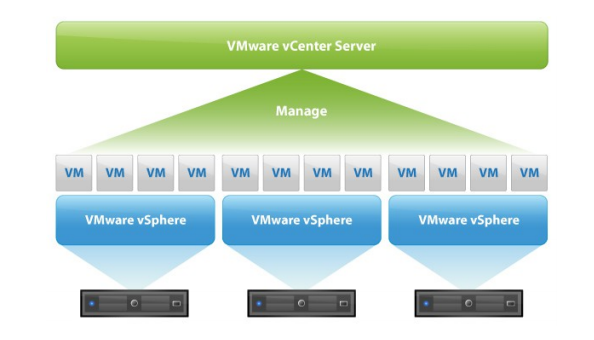
The vSphere Supervisor is the built-in control plane of vSphere that brings Kubernetes and modern application management directly into the hypervisor. It provides a consistent API and desired-state management model, allowing you to run and manage Kubernetes clusters, vSphere Pods, and virtual machines side by side on the same infrastructure.

With Supervisor, vSphere becomes an extensible platform — developers and operators can use vSphere Namespaces to define resource boundaries and enable self-service provisioning of modern infrastructure services in a secure and controlled way.

Keeping Supervisor up to date ensures compatibility with newer ESX and NSX versions as well as the latest API schemas used by Kubernetes clusters and DevOps tools.

Continue reading “Upgrade vSphere Supervisor”

VCF 9.0 to 9.0.1 Upgrade – Part 2

In the first part of the VCF 9.0 upgrade series, I walked through the process of upgrading the VCF Management Components — beginning with the Fleet Management Appliance and continuing through Aria Operations, Automation, Logs, and Network.
In this second part, we’ll shift focus to the core components of VMware Cloud Foundation, which form the backbone of every workload domain: vCenter Server, ESX hosts, NSX Managers, and Edge Clusters.

Since the core components have not yet been upgraded, the versions of the vCenter Server, NSX, and ESX hosts remain at 9.0.0, as shown in the screenshot below.

Continue reading “VCF 9.0 to 9.0.1 Upgrade – Part 2”

VCF 9.0 to 9.0.1 Upgrade – Part 1

Upgrading VMware Cloud Foundation (VCF) is not just about running the upgrade workflow — it’s about preparation. Before moving from version 9.0 to 9.0.1, several validation and readiness steps must be taken to ensure a smooth and error-free process. Before diving into the upgrade process, it’s essential to understand how lifecycle management in VCF is structured and the distinction between management components and core components.

VCF Operations serves as the central tool for managing the lifecycle of both Management and Core Infrastructure Components. It provides unified capabilities for downloading, staging, and applying patches or upgrades — whether you’re operating online or through an offline depot. While both component types can share the same depot, their upgrade scopes differ:

  • Management components (like SDDC Manager, Aria Suite, and NSX Managers) are maintained at the fleet level, allowing consistent operations across multiple VCF instances.
  • Core components (such as ESX hosts, vCenter, and NSX Edge Clusters) are managed per instance, ensuring control within each workload domain.

This separation allows administrators to plan and execute upgrades in a structured, non-disruptive way. However, it also raises an important question:

When performing an upgrade, which should be done first? The management components or the core components?

This article is part of a two-part series. In this first part, I’ll cover the upgrade of the VCF management components, and in the next one, I’ll focus on the core components. In both, we’ll outline what to verify, what to back up, and what dependencies to check before initiating your upgrade.

Continue reading “VCF 9.0 to 9.0.1 Upgrade – Part 1”

What’s New in vSAN 8U2

We have observed innovation, easy management, and supporting numerous features in every vSAN update. VMware announced vSAN 8U2, which contains new topology, features, and enhancements.

In this blog post, I will highlight the most crucial feature updates for Original Storage Architecture (OSA) and vSAN Express Storage Architecture (ESA) that come into three different categories:

  • Flexible Topologies – vSAN MAX Storage Cluster
  • Core Platform Advances – Support of vSAN File Services in ESA
  • Enhanced Management – ESA Prescriptive Disk Claim, Auto Policy Remediation
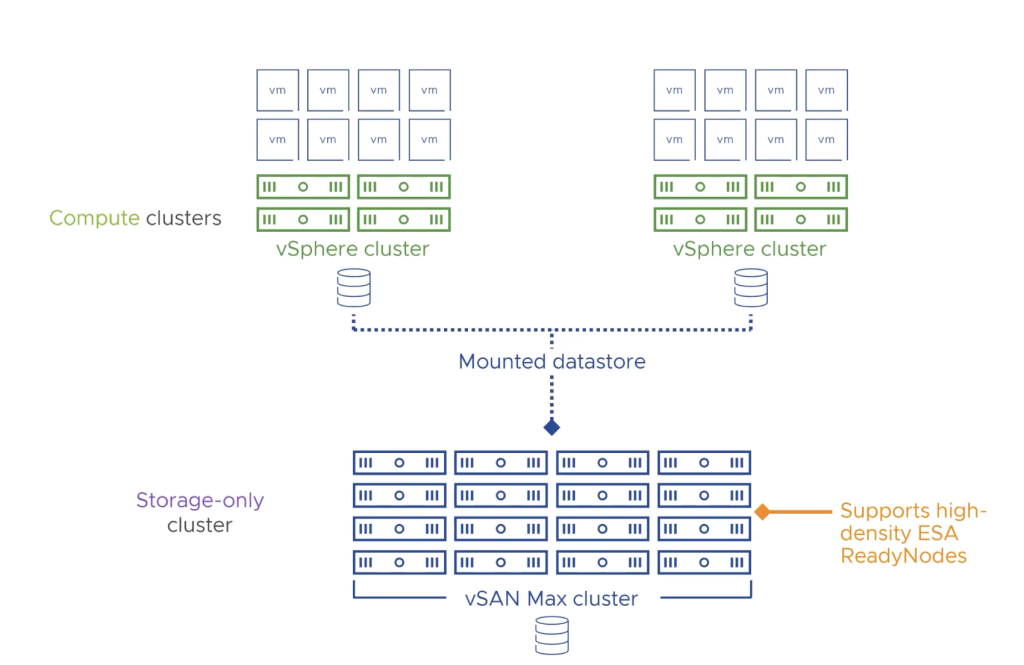
So let’s start with introducing vSAN’s new Disaggregated HCI offering known as vSAN MAX, which provides high performance, efficiency, and resiliency. This solution is based on vSAN ESA, and it is very easy to scale in an incremental fashion. So instead of adding compute and storage together, you can add more storage and provide multiple petabytes of capacity for a vSphere cluster. vSAN Max supports up to 360TB capacity per host, which means with a maximum of 24 nodes per cluster in vSAN MAX, you can provide 8.5-petabyte storage for vSphere clusters.

Continue reading “What’s New in vSAN 8U2”

What’s New vSphere 8 Update 1

In September 2022, an announcement was made about the release of vSphere 8 with new features and capabilities. Building on this momentum, the subsequent release of vSphere 8U1 brings new enhancements and improvements into three different categories of operating efficiency, elevated security, and supercharged workloads. So, by these pillars, customers can operate their infrastructure more efficiently, securely, and agile. So let’s start with the new enhancements in vSphere 8U1.

Operating efficiency

In vSphere 8, vSphere Configuration Profiles were introduced as a tech preview with some limitations of not supporting vSphere Distributed Switch and NSX. If you have not checked this functionality, read my blog post on what’s new in vSphere 8, which explains this functionality in more detail. But In vSphere 8U1, vSphere Configuration Profile is now fully supported and allows administrators to apply the homogenous configuration at the cluster level.

So you can set the desired configuration at the cluster level in JSON format and check the compliance of the hosts in the cluster; if they are not compliant, you can remediate the hosts to become compliant. But one point to remember, If the cluster has a Host profile attached to it, you will get a warning to remove the Host profile when you want to move to vSphere Configuration Profile. When you transition, you can no longer attach host profiles to the hosts within the cluster. vSphere Configuration Profiles now supports vDS configuration, and it can be activated when you create a new cluster, but environments with NSX still can’t use this technology.

Continue reading “What’s New vSphere 8 Update 1”

What’s New in vSAN 8 Update 1

On August 30, 2022, VMware announced vSAN 8 with a different architecture called vSAN Express Storage Architecture (ESA). You may have already heard about the significant performance improvement, increased network throughput, and enhanced scalability that ESA offers. However, VMware has continued to innovate. With vSAN 8 U1, additional features and capabilities have been added to both the original vSAN architecture (OSA) and ESA, providing even greater flexibility and efficiency. In this article, we will focus on the new features of vSAN 8 Update 1.

The new capabilities in vSAN 8U1 are categorized into four pillars: Disaggregation, Performance Enhancement, Ease of Use, and Cloud-Native Storage.

Continue reading “What’s New in vSAN 8 Update 1”

vSphere 8 – What’s New

I know many customers were waiting for the next release of VMware vSphere to realize the new capabilities and features. So there you go, Let’s check what’s new in vSphere 8!

VMware vSphere is the base solution on which most private cloud datacenters are running on. As VMware defines, vSphere 8 is the enterprise workload platform that brings the benefits of the cloud to on-premises workloads, supercharges performance through DPUs and GPUs, and accelerates innovation with an enterprise-ready integrated Kubernetes runtime.

In this post, I want to introduce the new and unique features that I found useful and interesting in vSphere 8.0!

Continue reading “vSphere 8 – What’s New”

My IT Journey!

I am thrilled to announce that I am starting a new position as a Senior Solution Engineer at VMware!

My name is Sadaf, I am originally Iranian, but I live in Sweden! I am a double VCIX, vExpert, and vSAN specialist with more than ten years of experience in Information Technology!

In this post, I want to share my journey with you, especially for women who want to start their career in IT but are hesitant because they are afraid of not being accepted or judged in this man-dominant field! I just forgot! Heh! I am also an expert at being judged and bullied but never get surrendered, thanks to my non-relevant bachelor’s! But you know what? I could do it, so can you!

I have studied Business Administration, but my path crossed with IT when I was on an internship about 12 years ago!

I was part of the sales engineering team responsible for helping customers get certified in the Information Security Management System(ISMS)/ISO 27001.

Continue reading “My IT Journey!”

Configure vSAN Stretched Cluster

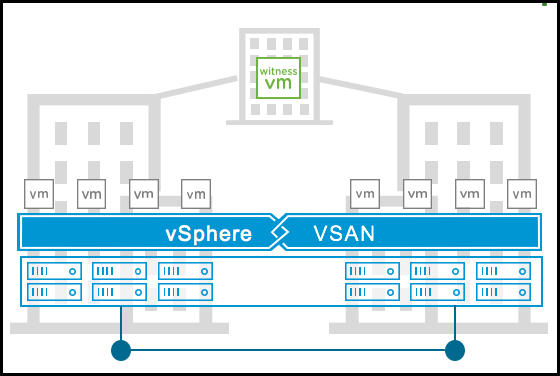
vSAN Stretched cluster introduced in vSAN 6.1 and it brings high availability in an active-active fashion. In this architecture, ESXi hosts would be placed in two different physical locations and join together with high bandwidth low latency networking. But from a management perspective despite hosts being in two different sites they belong to one single vSAN Cluster and share their resources. So this solution can be used in environments where disaster avoidance is a critical matter. Because it gives you the ability to avoid disaster, or recover from a disaster by having two different physical sites that host your applications. So you need to group the hosts based on their physical locations and put them in two different fault domains.

Continue reading “Configure vSAN Stretched Cluster”